iA Writer review: Focus on writing
Dear reader,
Have you ever discovered software that makes sense from the moment you try it out? Something that becomes part of your workflow, and you can’t imagine going back in time. This happened to me when I tried the iA Writer after reading James’s thoughts on it.
The reason this Markdown writing software spoke to me relates to my craving for calm and intentional software.
Before encountering iA Writer, I used Notesnook and Cryptee for writing this blog. Using Notesnook made sense, since it’s the place where I store everything I write. Cryptee comes closer to iA Writer with its minimal design, but it lacks features that make iA Writer stand out.
While I worried that the Markdown format would clutter the text, the choices in design make it work great. The Markdown format gets a subtle style in contrast to the rest of the text, which ensures I can focus on the content that matters.
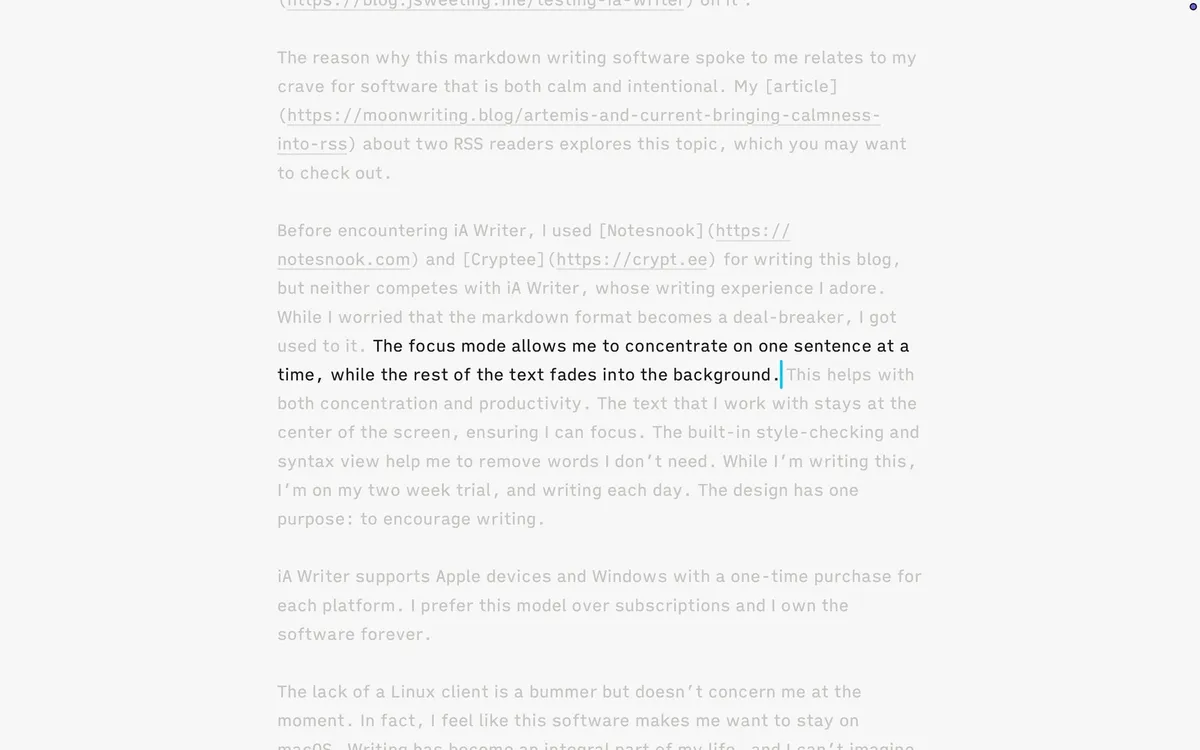
The focus mode allows me to concentrate on one sentence at a time, and the rest of the text fades into the background. This is a feature I haven’t seen in any writing software before, and it has helped with both concentration and productivity. The text that I work with stays at the center of the screen, which is another feature that just makes sense. The built-in style-checking and syntax view help me remove words I don’t need and pay attention to how I structure sentences. Overall, iA Writer has one purpose: to let you focus on writing, and writing only.
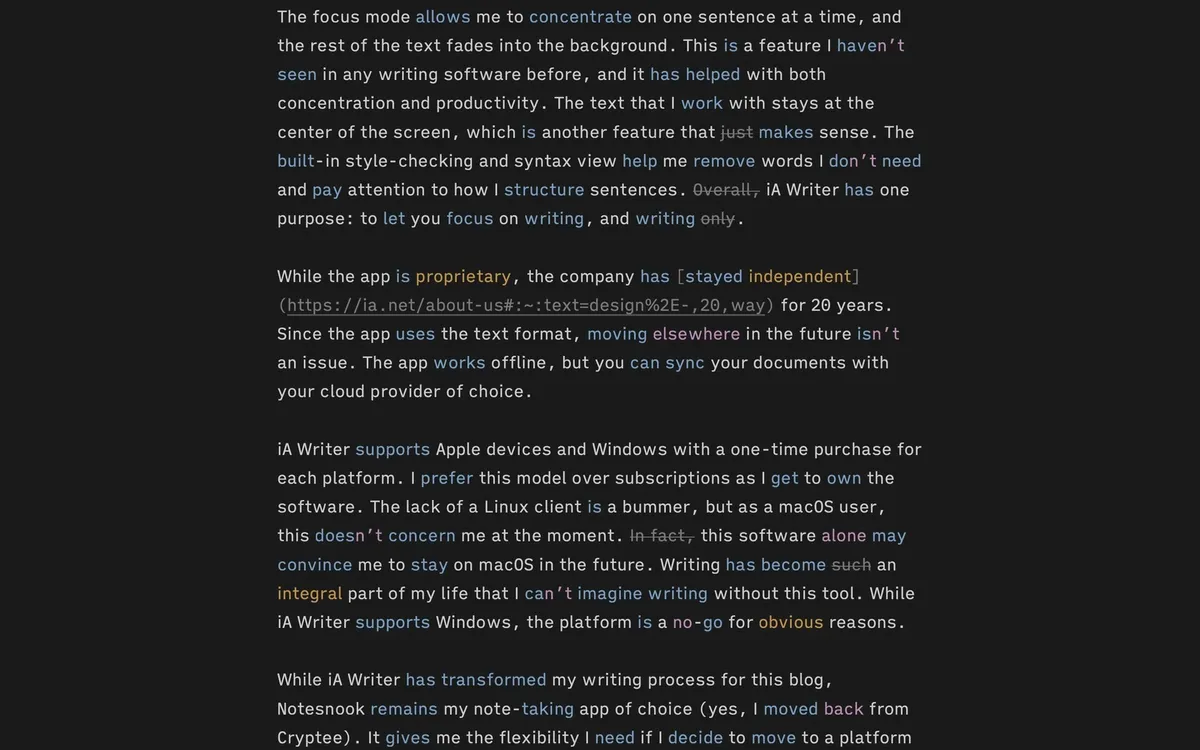
While the app is proprietary, the company has stayed independent for 20 years. Since the app uses text format, moving elsewhere in the future isn’t an issue. The app works offline, but you can sync your documents with your cloud provider of choice.
iA Writer supports Apple devices and Windows with a one-time purchase for each platform. I prefer this model over subscriptions as I get to own the software. The lack of a Linux client is a bummer, but as a macOS user, this doesn’t concern me at the moment. In fact, this software alone may convince me to stay on macOS in the future. Writing has become such an integral part of my life that I can’t imagine writing without this tool. While iA Writer supports Windows, the platform is a no-go for obvious reasons.
While iA Writer has transformed my writing process for this blog, Notesnook remains my note-taking app of choice (yes, I moved back from Cryptee). It gives me the flexibility I need if I decide to move to a platform like Android, where there is no iA Writer client. If you don’t write a lot or don’t see the point, iA Writer is probably not for you. Otherwise, I suggest trying it out for those two weeks.
In a world where software keeps getting more complex and feature-rich, iA Writer feels like a breath of fresh air. It demonstrates that minimalism isn’t just about clean design. When done right, it can mean the difference between great and average software. 🌔